Showing posts with label Solid Framework. Show all posts

Monday, February 13, 2017

Solid Framework 7514

In the last 6 months, we have worked on 500+ issues across all of our products.  80% of our time has been spent focusing on our Solid Framework product.

Solid Framework 7514 is now available in our Developer Portal.  We have resolved several high priority (showstopper / crash / hang) issues, related to:
-Page Range
-Generic Print Provider
-Job Processor Rendering PDF Page Collection
-Infinite loop in CLineInfo::correctCharSpacings()
-Conversions with JBIG2DECODE

New features:
Tesseract OCR for CJK content
Solid Core Model API - Text Bounding
C++ Sample - Extract Text using Text Bounding
PDF to Word - Annotations to Word comments
Support for Superscript and Subscript content

We have made various improvements and bug fixes to:
-Conversion layout and fonts
-Rendering
-Table detection and merging
-Lists and bullets
-Scanned page detection
-Performance
-CGM/NSE improvements
-OCR

Log into your developer portal account to access the latest SDK. If you don't have an account, create one on our website.

Wednesday, March 9, 2016

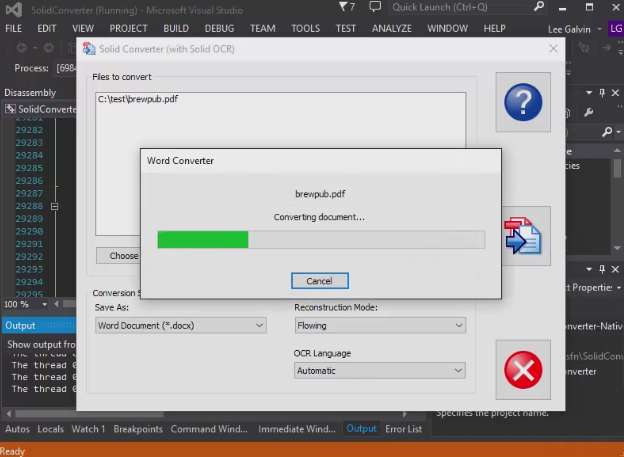
C++ Sample Project using Solid Framework SDK

With Solid Framework C++ SDK you can integrate the same PDF to Word technology used in Adobe® Acrobat® into your product for as little as a 10 MB increase in your installer size.

These C++ sample applications are available as ready-to-build Visual Studio projects and also as ready-to-run downloadable MSI installers. In both cases the samples work with developer licenses that you can generate using our self-service Developer Portal. In addition, the ready-to-run samples will also work with regular Solid PDF Tools desktop licenses (contact sales@soliddocuments.com for a reviewer license).


C++ sample is on our SDK documentation page along with other sample projects to get you going.

Solid Framework comes in two editions: a tools version and a professional version and is immediately available for download. Pricing for internal use of the professional version of the SDK starts at $1500/year. Licensing is also available for public redistribution. Licensing, distribution and product feature information is available at: http://www.solidframework.net/

Monday, December 15, 2014

Extracting Solid Framework for Installations.

Solid Framework is designed to extract its support files to the current users %AppData% directory on load. This is convenient, as there is only one dll to manage in your installer. But sometimes this can cause issues. One issue that can arise is a sporadic issue with overzealous 3rd party malware applications deleting the support files in the %AppData% folder, even though they are signed, strong named and time stamped. To work around this, you can extract the support files beforehand and reference these files in your installer.


To extract the 32 and 64 bit support folders from Solid Framework, you use the ExtractFramework.exe tool. Download the tool and SolidFramework AnyCPU dll into a folder. On the command line, run “ExtractFramework.exe .\SolidFramework.dll <Extraction folder> All”. <Extraction folder> should be replaced with a directory of your choosing. 


The All parameter tells ExtractFramework.exe to extract both the 32 and 64 bit folders. If you are releasing a 32 bit, or 64 bit only application, you can use Win32 or Win64 in place of All. 


We include both Win32 and Win64 folders in our installers. During installation, we detect if the OS is 32 or 64 bit, and install the appropriate folder to the application’s program directory. Do not include the larger SolidFramework AnyCPU dll in your install, because a smaller, 32 or 64 bit version is included in the Win32 or Win64 folders that will be installed in the application’s program directory that satisfies the application’s reference to SolidFramework.dll.


Wednesday, June 11, 2014

New release of Solid Framework v9 Available

v9 build 4823 of Solid Framework Released
We have just released a major update to the Solid Framework SDK. A few of the highlights include:
  • Multi-processor parallel performance improvements with OCR (scanned PDF to Word, scanned PDF to PDF/A)
  • Less complex XML output for .DOCX which improves machine consumption of output and improves editing of Word documents
  • Many PDF to Microsoft Word, Powerpoint, Excel and text conversion improvements
  • Complex table reconstruction improvements
  • Data recovery from scanned PDFs into Microsoft Excel
The SDK is available from the developer portal.

Tuesday, November 5, 2013

Solid Framework 8.2.4053 Available

New release of Solid Framework SDK is available from the developer portal.

Friday, September 21, 2012

7.3 of Solid Framework Released

7.3 of Solid Framework Released

Solid OCR (Optical Character Recognition) has been improved:
8 languages now supported (English, Dutch, French, Italian, Polish, Portuguese and Spanish).
Improved text recognitions. OCR allows you to apply a searchable text layer when scanning or easily add a text layer to an existing scanned PDF file.

Other v7.3 improvements include:

  • PDF to Word: heading/style detection, table of contents reconstruction, hierarchical list reconstruction
  • Complete rework of PDF to PowerPoint reconstruction including transitions, master slides and PowerPoint specific layout engine
  • Great improvements to PDF to HTML conversion to take advantage of table of contents reconstruction and style detection. Single page output with navigation frame or multiple linked HTML pages for navigation.
  • PagesModel and Thumbnail Controls to allow construction of PDF page manipulation applications complete with User Interface.
Trial developer licenses and SDK available from the Developer Portal at soliddocuments.com.