Showing posts with label SDK Samples. Show all posts

Monday, February 13, 2017

Solid Framework 7514

In the last 6 months, we have worked on 500+ issues across all of our products.  80% of our time has been spent focusing on our Solid Framework product.

Solid Framework 7514 is now available in our Developer Portal.  We have resolved several high priority (showstopper / crash / hang) issues, related to:
-Page Range
-Generic Print Provider
-Job Processor Rendering PDF Page Collection
-Infinite loop in CLineInfo::correctCharSpacings()
-Conversions with JBIG2DECODE

New features:
Tesseract OCR for CJK content
Solid Core Model API - Text Bounding
C++ Sample - Extract Text using Text Bounding
PDF to Word - Annotations to Word comments
Support for Superscript and Subscript content

We have made various improvements and bug fixes to:
-Conversion layout and fonts
-Rendering
-Table detection and merging
-Lists and bullets
-Scanned page detection
-Performance
-CGM/NSE improvements
-OCR

Log into your developer portal account to access the latest SDK. If you don't have an account, create one on our website.

Wednesday, March 9, 2016

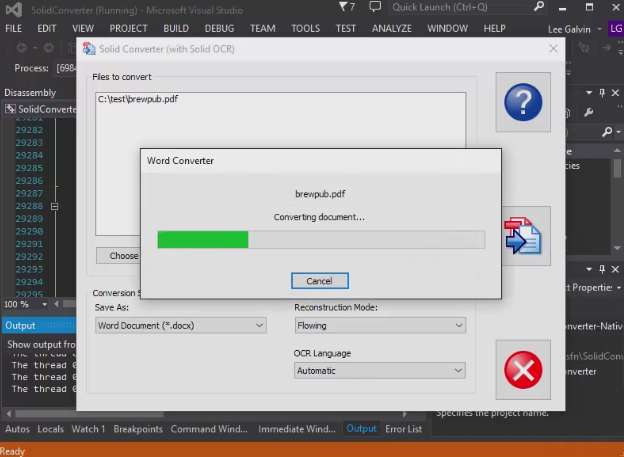
C++ Sample Project using Solid Framework SDK

With Solid Framework C++ SDK you can integrate the same PDF to Word technology used in Adobe® Acrobat® into your product for as little as a 10 MB increase in your installer size.

These C++ sample applications are available as ready-to-build Visual Studio projects and also as ready-to-run downloadable MSI installers. In both cases the samples work with developer licenses that you can generate using our self-service Developer Portal. In addition, the ready-to-run samples will also work with regular Solid PDF Tools desktop licenses (contact sales@soliddocuments.com for a reviewer license).


C++ sample is on our SDK documentation page along with other sample projects to get you going.

Solid Framework comes in two editions: a tools version and a professional version and is immediately available for download. Pricing for internal use of the professional version of the SDK starts at $1500/year. Licensing is also available for public redistribution. Licensing, distribution and product feature information is available at: http://www.solidframework.net/

Sunday, September 2, 2012

How to change the configuration in your project to 64 bits

This example uses Visual Studio 2010.

1. Open your project in Visual Studio.  From the Build menu select Configuration Manager...


2. From the Active solution configuration menu select Debug or Release depending on what are you want to set up.


Then from the Active solution platform menu select New...
 

3. Select x64 (the Create new project platforms is checked by default).


4. Change the Copy settings from option to  Empty then click OK.

Wednesday, August 29, 2012

Code Samples and Video Tutorials

Did you know we now have Solid Framework video tutorials available from our website?

You can find them here under our documentation page.

Email us at support@soliddocuments.com to request other code samples.